
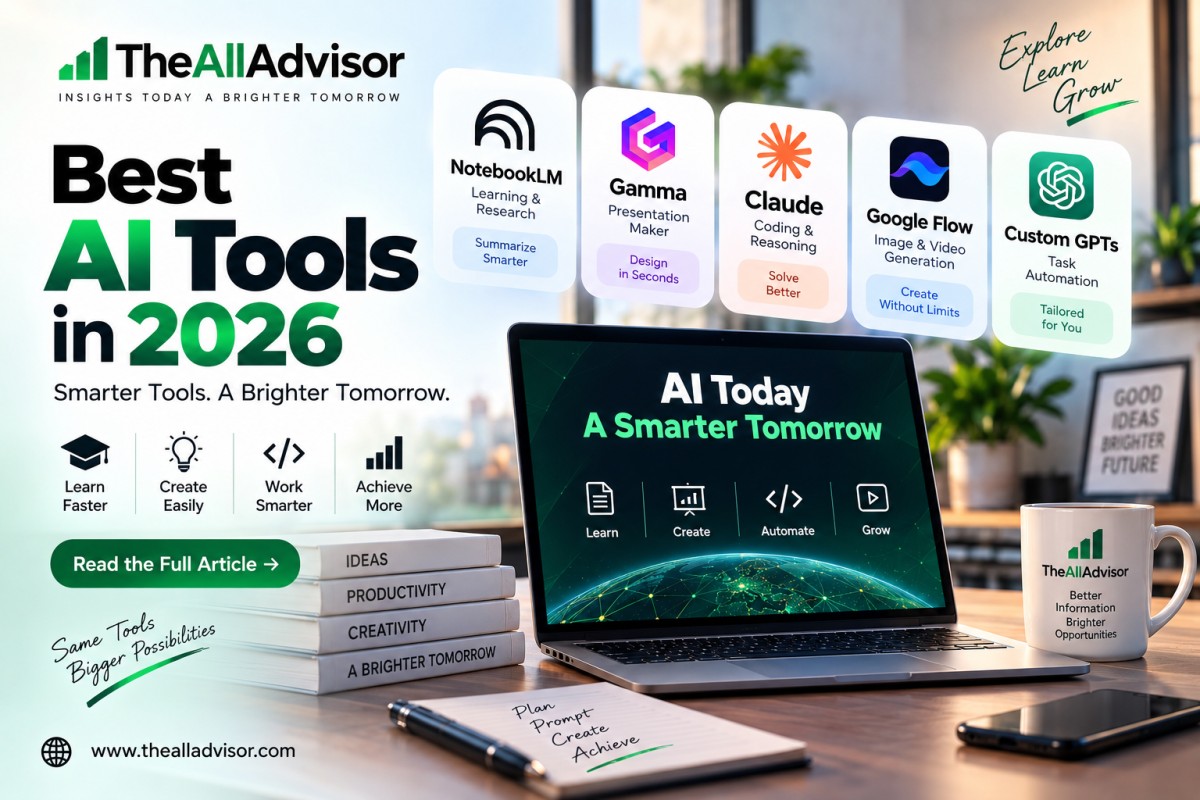
Best AI Tools We Used in 2026: Real Experience Review
AI tools can save a significant amount of manual work, but different tools are useful for very different tasks. We tested NotebookLM, Gamma, Claude, Google Flow, and task-specific GPTs in real workflows involving study material, presentations, coding, visual content, SEO, and content creation.
Our experience showed that there is no single “best AI tool” for everything. NotebookLM worked well for source-based learning, Gamma for presentations, Claude for coding and reasoning, Google Flow for visual creation, and task-specific GPTs for repeatable workflows.
Best AI Tools in 2026 at a Glance
| AI Tool | Best For | What We Used It For | Our Experience |
|---|---|---|---|
| NotebookLM | Students & research | PDFs, notes and research material | Excellent for understanding source material quickly |
| Gamma | Presentations | AI-generated presentations | Fast and easy for creating a polished first draft |
| Claude | Coding & reasoning | Code generation, debugging and explanations | Strong for structured technical work |
| Google Flow | Images & video | Visuals and short AI videos | Useful for creative content workflows |
| Custom GPTs | Repetitive tasks | SEO and task-specific workflows | Useful when the same type of task is repeated |
Last Updated: October 5, 2026
How We Tested These AI Tools
This is not a list created only from product descriptions.
Our assessment is based on tools we used for actual tasks such as:
- Summarizing study notes and long PDFs
- Turning written information into presentations
- Generating and debugging code
- Understanding technical concepts
- Creating images and AI-generated video content
- Handling repeatable SEO and content-related tasks
We focused mainly on practical usefulness, ease of use, output quality, time saved, and how much manual editing was still required.
The experiences below describe how these tools performed in the workflows we tested. Results can vary depending on the prompt, source material, subscription level, model, and type of task.
1. NotebookLM – Best for Learning and Source-Based Research
What Is NotebookLM?
NotebookLM is Google’s AI-assisted research and learning tool built around the sources you provide. Instead of relying only on a general chatbot conversation, users can add their own material and ask questions about it.
Google supports sources such as documents, PDFs and other materials, and NotebookLM can generate source-grounded answers, summaries and learning resources. Google has also expanded the product with Audio Overviews, Video Overviews and other study-oriented features.
Our Experience With NotebookLM
We mainly used NotebookLM with long PDFs and study notes.
Instead of repeatedly reading an entire document, we could use the uploaded material to identify important concepts and produce shorter explanations.
For revision and research, this was particularly useful because the conversation remained focused on the supplied material rather than turning into an unrelated general discussion.
We found it most useful when dealing with:
- Long study notes
- Research documents
- PDFs
- Revision material
- Topic summaries
- Questions based on supplied sources
What We Liked
Source-focused answers:
Being able to work directly with uploaded material made it easier to stay focused on the information we were actually studying.
Faster revision:
Long material could be converted into shorter explanations, helping us review key points without reading the complete document every time.
Useful learning formats:
NotebookLM has expanded beyond simple summaries and can produce learning-oriented content such as Audio Overviews and other generated study resources.
Things to Consider
NotebookLM should not be treated as a replacement for reading important original material.
Google itself notes that AI-generated information can still contain inaccuracies. For academic work, important quotations, claims and interpretations should therefore be checked against the original sources.
Best For
Students, researchers, teachers and anyone working with large amounts of source material.
2. Gamma – Best for Creating Presentations Quickly
What Is Gamma?
Gamma is an AI-powered presentation and visual-content platform.
Users can start with a prompt, existing text, an outline or an uploaded document. Gamma can then structure the material into a visual presentation and apply layouts, themes and images.
Gamma also supports editing and exporting presentations to formats including PowerPoint and PDF.
Our Experience With Gamma
We tested Gamma when we needed to turn written information into a professional-looking presentation without manually designing every slide.
Instead of starting with an empty presentation and formatting each section individually, we provided the content and allowed Gamma to create the initial structure.
This made the first-draft stage much faster.
The generated presentation usually gave us:
- A slide structure
- Headings
- Content placement
- Visual styling
- Consistent formatting
We could then review and edit the presentation instead of building everything from the beginning.
What We Liked
Fast first drafts:
Gamma was particularly useful when the content was ready but we did not want to spend time manually creating the initial slide design.
Easy visual organization:
The platform automatically organized information into visually structured sections.
Editable output:
The AI-generated result was not the final step. We could still change layouts, text and visuals before using the presentation.
Things to Consider
We would not recommend publishing every AI-generated presentation without checking it.
Long paragraphs may need shortening, AI-selected visuals may need replacing, and important facts should still be verified manually.
The best workflow for us was:
Generate → Review → Edit → Present
rather than:
Generate → Publish immediately
Best For
Students, teachers, business users, marketers and anyone who regularly creates presentations.
3. Claude – Best for Coding and Structured Reasoning
What Is Claude?
Claude is Anthropic’s AI assistant, and coding has become one of its major use cases.
For developers, Anthropic also provides Claude Code, which can work with codebases, help write and edit code, run tests, investigate bugs and perform development tasks from a terminal or supported development workflow.
Our Experience With Claude
We used Claude for coding, debugging and reasoning-based tasks.
One of the areas where it was most useful was explaining technical problems in a structured way.
Instead of only requesting:
“Give me the code,”
we could provide an error, code snippet or problem and ask Claude to explain what was happening.
We used it for tasks such as:
- Generating code
- Debugging errors
- Understanding existing code
- Breaking complicated problems into steps
- Explaining technical concepts
- Reasoning through development problems
What We Liked
Structured explanations:
Claude often made complex technical information easier to follow by separating the problem into logical parts.
Useful debugging assistance:
When enough code and context were provided, it could help identify possible causes and suggest changes.
Developer-focused capabilities:
Anthropic continues to position Claude strongly for software development, with Claude Code capable of exploring repositories, editing files, running tests and supporting larger development workflows.
Things to Consider
AI-generated code still needs human review.
A solution can look correct while containing:
- Logic errors
- Security problems
- Incorrect assumptions
- Outdated library usage
- Changes that affect another part of the application
For important projects, we recommend treating Claude as a development assistant rather than an automatic replacement for testing and code review.
Best For
Developers, programmers, technical students and users solving reasoning-heavy problems.
4. Google Flow – Best for AI Visual and Video Creation
What Is Google Flow?
Google Flow is Google’s AI creative environment for generating and editing visual content.
Google describes Flow as an AI creative studio that works with its generative models and supports image and video creation, editing and creative workflows. Current Flow capabilities include Google’s advanced image and video technologies, while available features can differ by plan, platform and region.
Our Experience With Google Flow
We used Flow primarily for AI-generated visuals and short video content.
The main advantage for us was being able to start from an idea or prompt and convert it into visual material without producing every asset manually.
We tested it for content that could be useful in:
- Social media
- Creative concepts
- Visual storytelling
- Short video production
- AI-generated imagery
- Content marketing
In our tests, the output could look realistic enough to be useful for content creation, although quality depended heavily on the prompt and the type of scene requested.
What We Liked
Image and video creation in one creative workflow:
Flow is useful when a project involves more than a single static image.
Iterative editing:
Google’s current Flow experience supports generating and refining creative assets using natural-language instructions.
Strong creative potential:
For users producing social or visual content, it can significantly reduce the amount of work needed to create an initial concept.
Things to Consider
AI video is still not automatically perfect.
Depending on the scene, users should check:
- Human movement
- Object consistency
- Text inside generated visuals
- Audio
- Scene continuity
- Brand accuracy
- Copyright and usage requirements
AI-generated content should also be reviewed before being presented as a representation of a real person, place, product or event.
Best For
Content creators, marketers, social media users and people experimenting with AI-generated images and video.
5. Custom GPTs – Best for Task-Specific Workflows
What Are Custom GPTs?
GPTs are versions of ChatGPT configured for a particular purpose.
A GPT can combine specific instructions, reference knowledge and selected capabilities to provide a more specialized experience for a recurring task.
Our Experience With Task-Specific GPTs
We used task-specific GPTs for workflows such as:
- SEO-related writing
- Repetitive content tasks
- Thumbnail-related workflows
- Focused instructions
- Tasks that require the same rules repeatedly
The main advantage was consistency.
Instead of explaining the same requirements in every new prompt, a task-specific setup could keep the workflow more focused.
For example, a general AI assistant may need a long prompt explaining:
- Desired output style
- Required structure
- Rules
- Tone
- Task objective
A specialized GPT can already be configured around a particular job, reducing repeated setup.
What We Liked
Focused workflow:
The assistant can remain centered on a specific type of task.
Less repetitive prompting:
Recurring instructions do not always need to be rewritten from scratch.
Useful for standardized work:
This can be helpful for teams or individuals who repeatedly perform similar processes.
Things to Consider
Access and creation options for GPTs can change.
OpenAI’s current documentation states that GPTs can still be used by signed-in ChatGPT users, while new GPT creation and publishing availability depends on account and workspace conditions. Users should therefore check the latest options available on their own account rather than assuming every plan has identical GPT-building features.
A custom GPT also does not automatically guarantee accurate output. The quality still depends on its instructions, knowledge, capabilities and the information provided by the user.
Best For
Teams and individuals with repeatable workflows that can benefit from standardized AI instructions.
Which AI Tool Is Best for Each Task?
The answer depends on what you are trying to do.
| Your Main Task | Our Preferred Tool From This List | Why |
|---|---|---|
| Studying PDFs and notes | NotebookLM | Works around supplied source material |
| Research and revision | NotebookLM | Useful for summaries and source-based questions |
| Creating presentations | Gamma | Produces visual first drafts quickly |
| Programming | Claude | Strong coding and debugging workflow |
| Understanding complex technical problems | Claude | Structured reasoning and explanations |
| AI image/video creation | Google Flow | Built around creative visual workflows |
| Repetitive specialized tasks | Task-specific GPTs | Can keep instructions focused on one workflow |
There is no need to use all five tools.
For most users, choosing one or two tools based on their actual work is more practical than subscribing to every popular AI platform.
Best AI Tools for Students
From the tools we tested, NotebookLM and Gamma are particularly useful for students, but for different reasons.
NotebookLM is more relevant when a student already has:
- Lecture notes
- Research papers
- PDFs
- Course material
and needs help understanding or revising them.
Gamma is more useful when the student needs to turn information into a presentation.
Students working on programming courses may also find Claude useful for explanations and debugging.
AI should still support learning rather than replace it. Submitting generated material without understanding it can create academic and accuracy problems.
If you are also researching international education options, see our guide to Best Study Abroad Countries 2026.
Best AI Tools for Developers
For development work, Claude was the most relevant tool in our testing.
It can assist with:
- Understanding code
- Debugging
- Generating functions
- Explaining errors
- Planning technical changes
- Reviewing possible solutions
However, developers should provide enough context.
A prompt containing only:
“My code is not working.”
is far less useful than providing the error, expected behavior, relevant code and environment details.
The more accurate the context, the more useful an AI coding assistant can usually be.
Best AI Tools for Content Creators
For content production, the most useful combination from our testing was Gamma + Google Flow + task-specific GPT workflows.
Each serves a different stage:
Task-specific GPT → ideas or repeatable workflow
Gamma → presentation and structured visual content
Google Flow → images and video
This does not mean every asset should be generated with AI. Original photography, human editing and brand-specific design can still be more appropriate depending on the project.
What You Should Know Before Using AI Tools
AI Output Still Needs Verification
AI tools can confidently produce incorrect information.
For factual work, always check important claims against reliable primary sources.
Do Not Upload Sensitive Information Without Checking the Terms
Before uploading confidential documents, company information, student data or client material, review the platform’s privacy and data-handling policies.
Free and Paid Features Can Change
AI products evolve quickly.
Features, usage limits, models and pricing available today may not remain identical later.
The Prompt Still Matters
A powerful AI tool given incomplete instructions can produce a poor result.
Good context often matters as much as the model itself.
Use the Right Tool for the Right Job
Using a video-generation platform to summarize research, or a presentation tool for complex software debugging, makes little sense.
We obtained better results by matching the tool to the task.
Advantages of Using AI Tools
Based on the workflows we tested, the main benefits were:
- Faster first drafts
- Less repetitive manual work
- Faster document summarization
- Easier presentation creation
- Coding assistance
- Faster idea exploration
- Easier creation of visual concepts
- More structured workflows
Limitations to Keep in Mind
AI tools can also:
- Generate incorrect information
- Misunderstand instructions
- Produce generic content
- Generate code with bugs
- Create inconsistent images or videos
- Require significant manual editing
- Have changing limits or subscription requirements
The most useful approach is usually AI-assisted work with human review, rather than completely automated publishing.
Frequently Asked Questions (FAQs)
What is the best AI tool in 2026?
There is no single best AI tool for every task. From the tools we personally used, NotebookLM was particularly useful for source-based learning, Gamma for presentations, Claude for coding and reasoning, Google Flow for visual creation, and task-specific GPTs for repeatable workflows.
What is the best AI tool for students?
NotebookLM was one of the most useful tools in our testing for students working with notes, PDFs, and research material. Gamma can also be useful when students need to create presentations quickly.
Which AI tool is best for coding?
From this group, Claude was our preferred option for coding-related work. We used it for code generation, debugging, explanations, and logical problem-solving. Developers should still test and review all generated code before using it in production.
Is Gamma good for presentations?
In our experience, Gamma was useful for quickly creating the first version of a presentation from text. It can generate layouts and structure automatically, but we still recommend reviewing the content and making final design adjustments manually.
Can Google Flow create AI videos?
Yes. Google Flow supports AI-assisted video creation and editing using Google’s generative technologies. Its available capabilities can depend on the account, subscription, platform, and region.
Are Custom GPTs useful?
Yes, especially when you repeatedly perform the same type of task. A specialized GPT can be configured around particular instructions, knowledge, and capabilities, making repetitive workflows more focused. Availability of GPT creation and editing can depend on current OpenAI account and workspace options.
Should students rely completely on AI tools?
No. AI can assist with explanations, revision, research organization, and presentations, but important information should still be checked. Students should also follow their school’s or university’s academic-integrity rules.
Final Verdict
The most important lesson from testing these tools is that the best AI tool depends on the job you need to complete.
NotebookLM was particularly useful when we already had source material and wanted to understand it more efficiently. Gamma reduced the work involved in building the first version of a presentation. Claude helped with coding, debugging and structured technical reasoning. Google Flow gave us a practical environment for experimenting with AI-generated visual content, while task-specific GPTs were useful for repeatable workflows.
AI tools can reduce manual work, but they still require human judgment.
Instead of asking which AI tool is “best” overall, a better question is:
Which tool solves the specific problem I have right now?
That approach has been much more useful in our own testing.
Sources and Product Documentation
Information about current product capabilities was checked against primary sources, including:
- Google NotebookLM official product updates and documentation
- Gamma official presentation and help documentation
- Anthropic official Claude and Claude Code documentation
- Google Flow official product page and Google product announcements
- OpenAI official GPT documentation
Product features, availability, pricing and usage limits can change. Readers should verify current details directly with the relevant provider before purchasing a subscription or making an important decision.
